Ads

Campaigns, bids and budgets that run inside your caps.

Every campaign has one job. Bids move up and down inside caps set from your real profit per sale. Products move through Launch, Expand and Harvest on proof, and the weekly report says what was done and why.
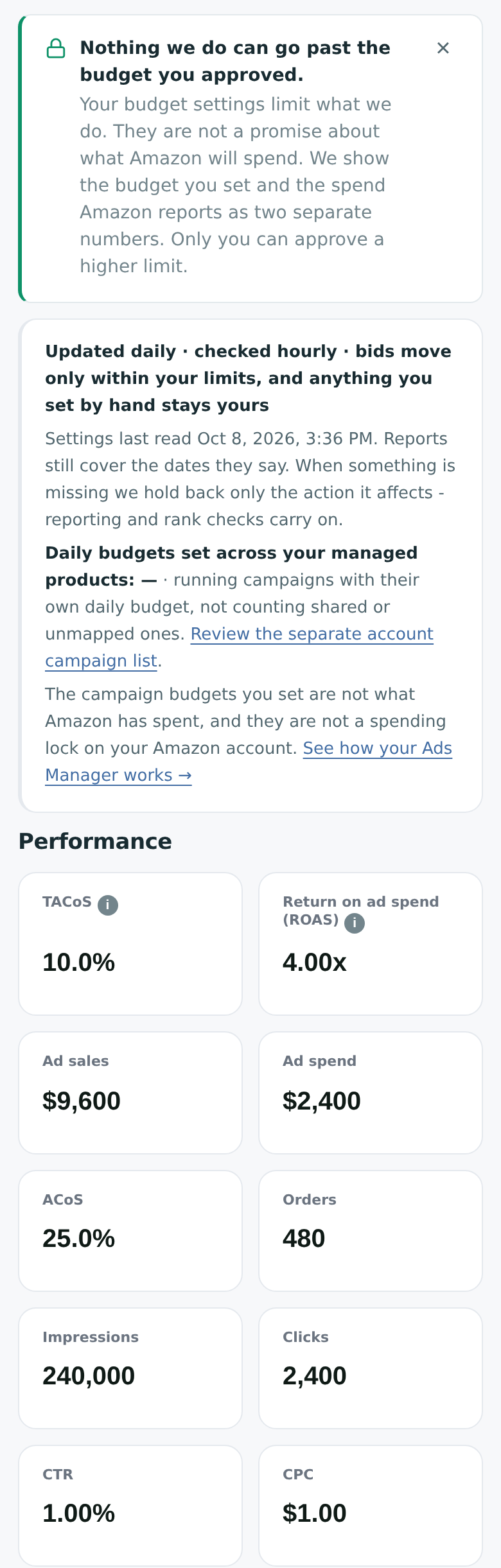
Advertising budget safeguards and performance; desktop also shows spend chart and campaign/stage tables.
View full product screen ↗View full product screen ↗
01

Structure with one job per campaign

Single-keyword ranking campaigns, keyword groups by buyer intent, brand searches, catch-alls, product targeting on related products, and brand video and display when you have the assets.

02

Bids with a ceiling

The ordinary bid cap is set from your profit per sale, with a higher cap only while a product is ranking. Bids move toward a target below break-even. Every change is logged in plain words.

03

Stages on proof

Launch, Expand and Harvest. A product moves up on orders, rank movement and stock cover, and drops back after a run of failed days. The rules are written on the How it works page inside the app.

Starting a launch

You press Launch. You approve the plan. Then it runs.

A new launch is never automatic. From a product page you press Launch ads for this product. Estobi researches the product and builds a plan with the campaigns, the searches, the starting bids and a daily budget. You can edit the budget, then approve or say Not now.

Research needs a recent audit of the product. If the last audit is older than 90 days a new one runs first, and it counts against your plan’s audits; the launch card tells you before you ask.

QueuedResearchingBuilding the planPlan readyApprove and launchNot now
Search performance

Which searches bring you buyers, and which to add or block.

Weekly, Estobi analyzes the search performance of your own listings: the searches that bring you buyers, the ones that cost money without converting, and new searches worth their own campaign. Proven searches become exact keywords; money-losing searches are blocked.

Harvest

A search that proves itself for your product gets its own exact keyword at your own cost per click, inside the ranking cap.

Negation

Searches that lose money are blocked, word by word, with shared campaigns taken into account.

Buy Box aware

When a product loses the Buy Box, raises are held or rolled back until it is back. The Buy Box map feeds this directly.

Controls and limits

What you control. What it never does.

You control

  • Every new launch, as a plan with a daily budget you can edit before approving.
  • Account and per-product budgets. They are hard caps on what Estobi does.
  • Target ACoS and the bid-cap lever: a percent of profit or a dollar amount, per product or for the account.
  • Any campaign you edit yourself stays yours: your edits win over the automation until you hand it back.

It never

  • Launches a campaign you did not approve.
  • Goes past the budget you approved. The budget bounds what we do; it is not a promise of what Amazon ultimately spends.
  • Raises bids on a product that is low on stock or has lost the Buy Box.
  • Promises rank, sales or a cost per sale.

Start with one product.

The free audit shows you Estobi on a product you sell. The ads system is part of a paid plan.

Get your free audit